Rang – Case Study · Enya Ko
Case Study · Mobile Product Design

Rang

A smarter way to manage your conversations, one app that keeps work and life beautifully apart. Rang gives each side of your day its own rhythm, so work pings stay in work hours and the people you love aren’t buried under them, without asking you to juggle two apps, two phones, or two versions of yourself.
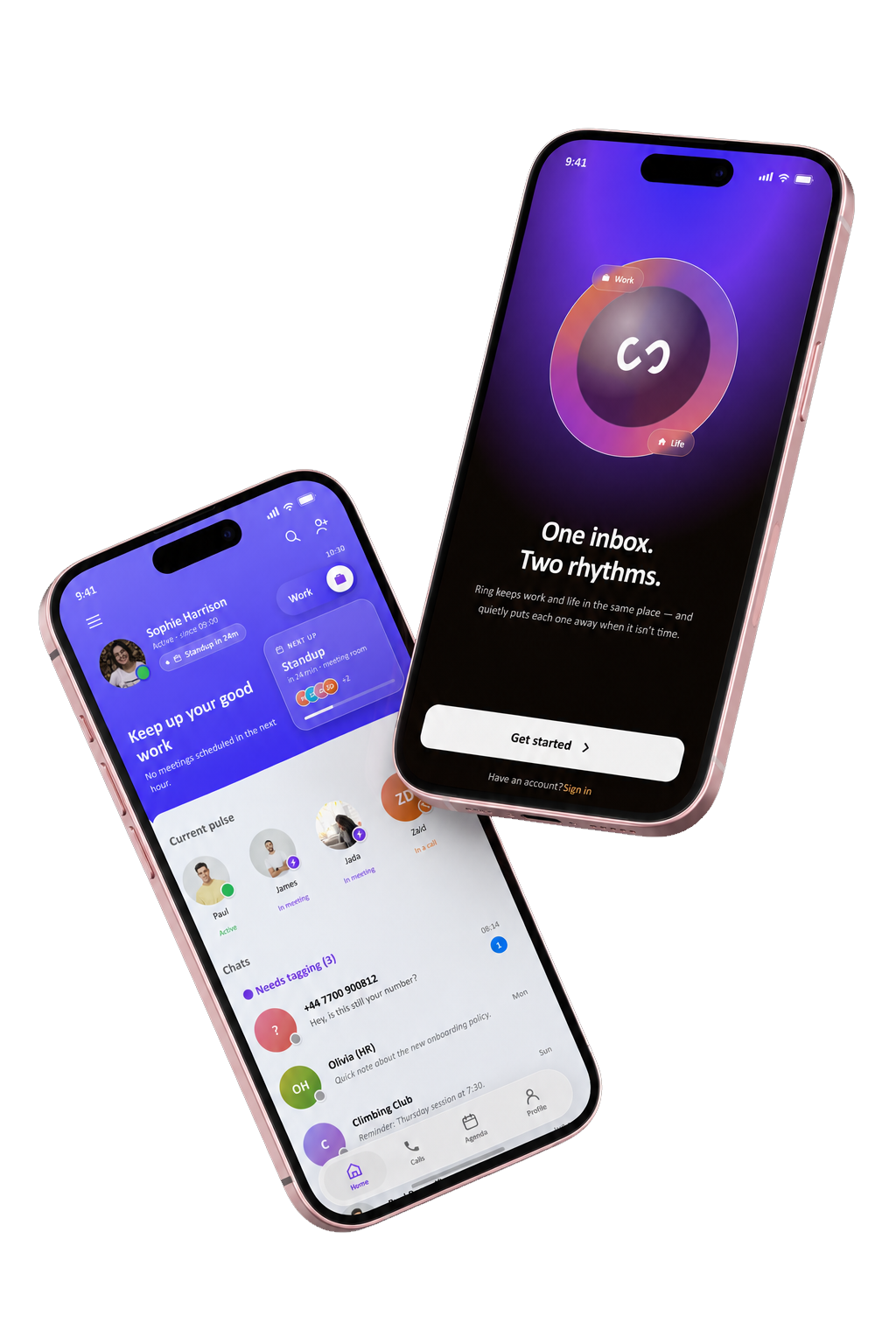
Rang app on two phones
My role UX Designer
Timeline 2023–2025
Type Work-life balance messaging app
Methods Survey · Interviews · Personas · Flows · Wireframes
/01 · The Problem

One inbox. Two whole lives.

Work pings during dinner. Friends interrupt deep focus. Everything lands in the same place, and the noise never stops.

Always on

73% of people check work chats after hours, blurring the line between the office and home.

Notification overload

One merged stream means every ping feels urgent, whether it's a deadline or a dinner plan.

Constant context-switching

Jumping between roles all day drains focus, raises stress, and erodes work–life balance.

/02 · User Research

What users told me.

Method 01 · Online survey Method 02 · Semi-structured interviews
126 people surveyed across 5 countries
81% check work chats after hours
2.4× more likely to feel "always on" than people who keep work & life in separate apps
{{ row.label }}
{{ row.pct }}
/03 · Who we design for

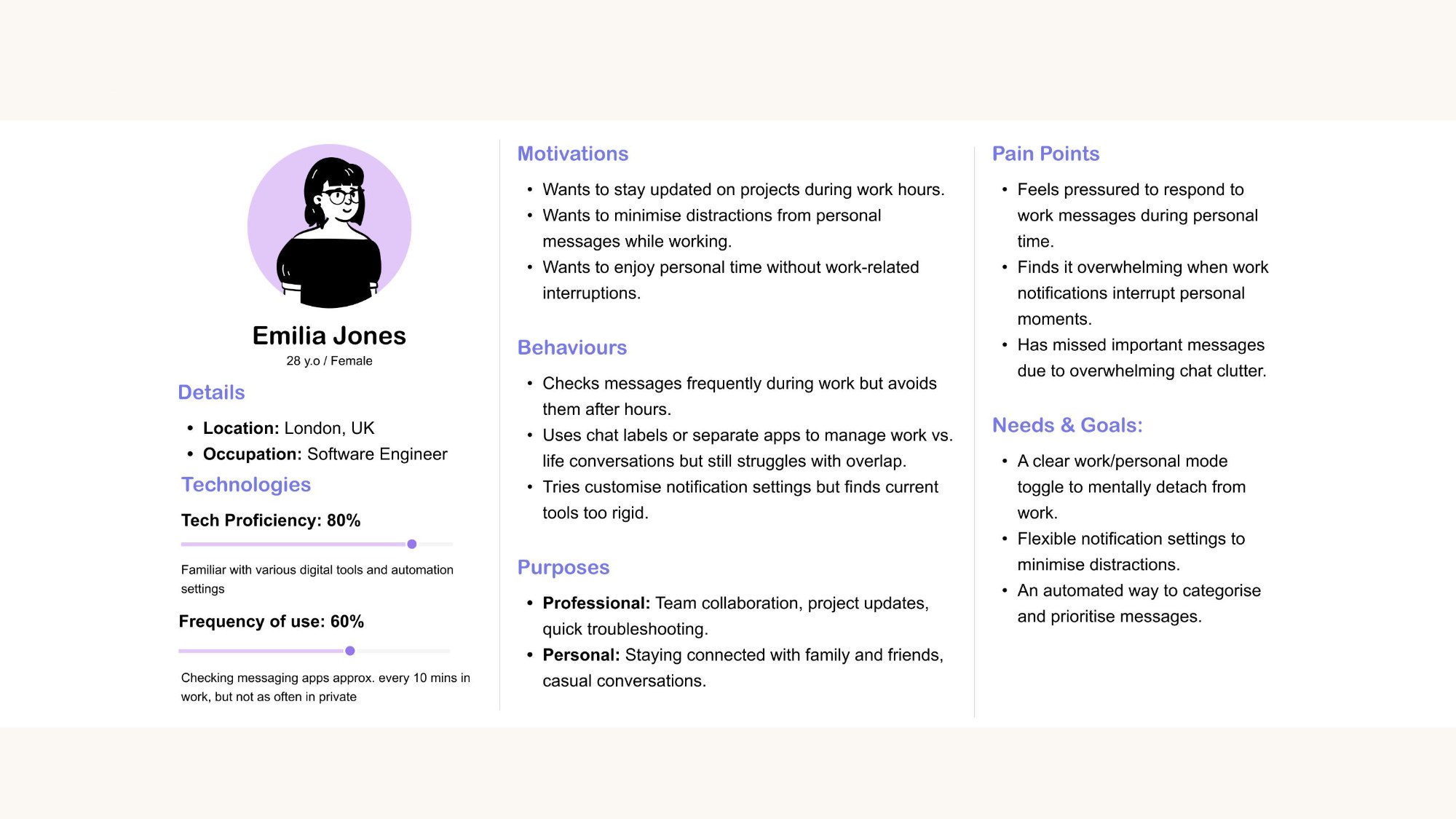
Meet Emilia.

/04 · Journey Map
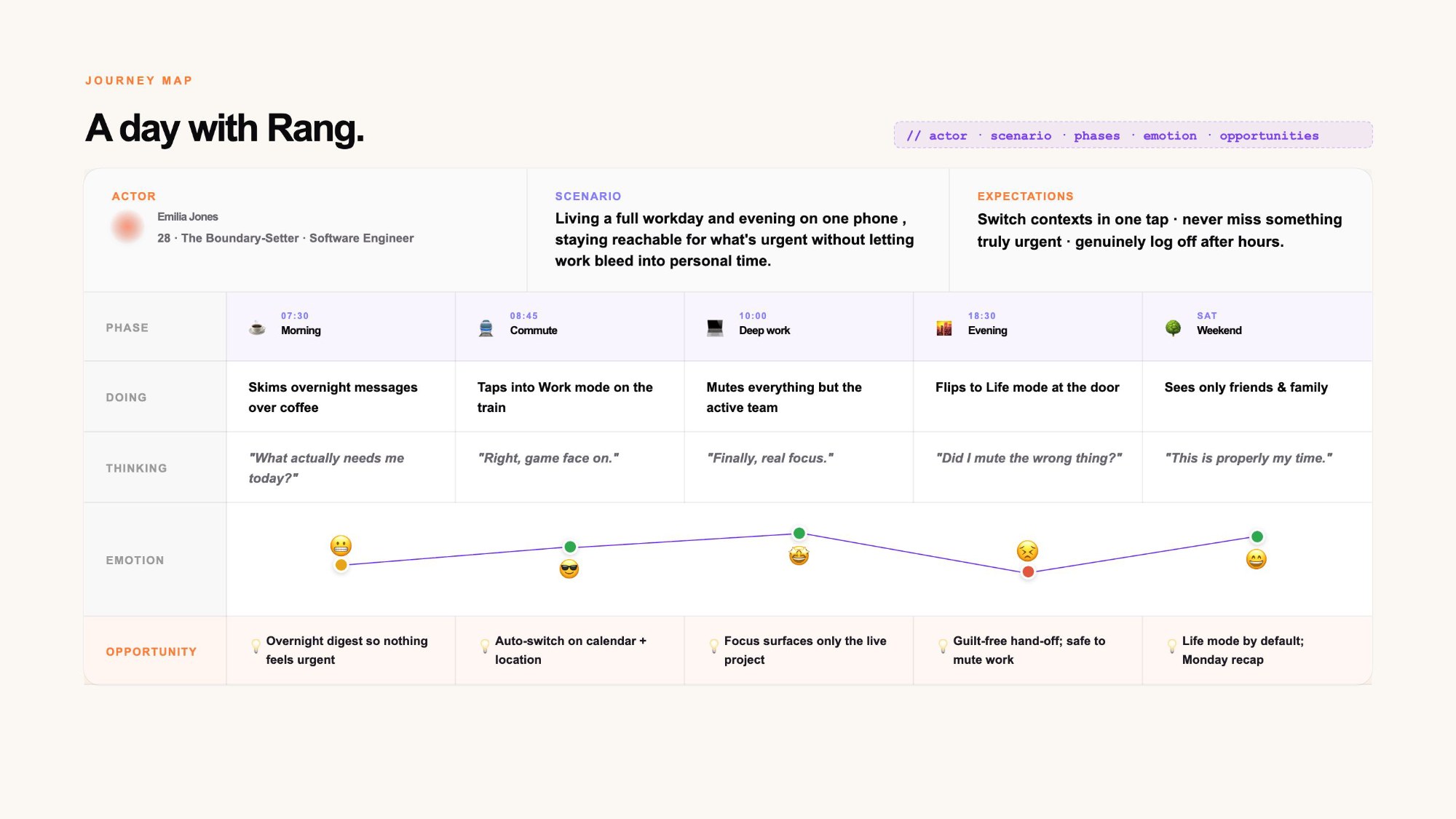
Journey map: a day with Rang, from morning to weekend
/05 · User Flow
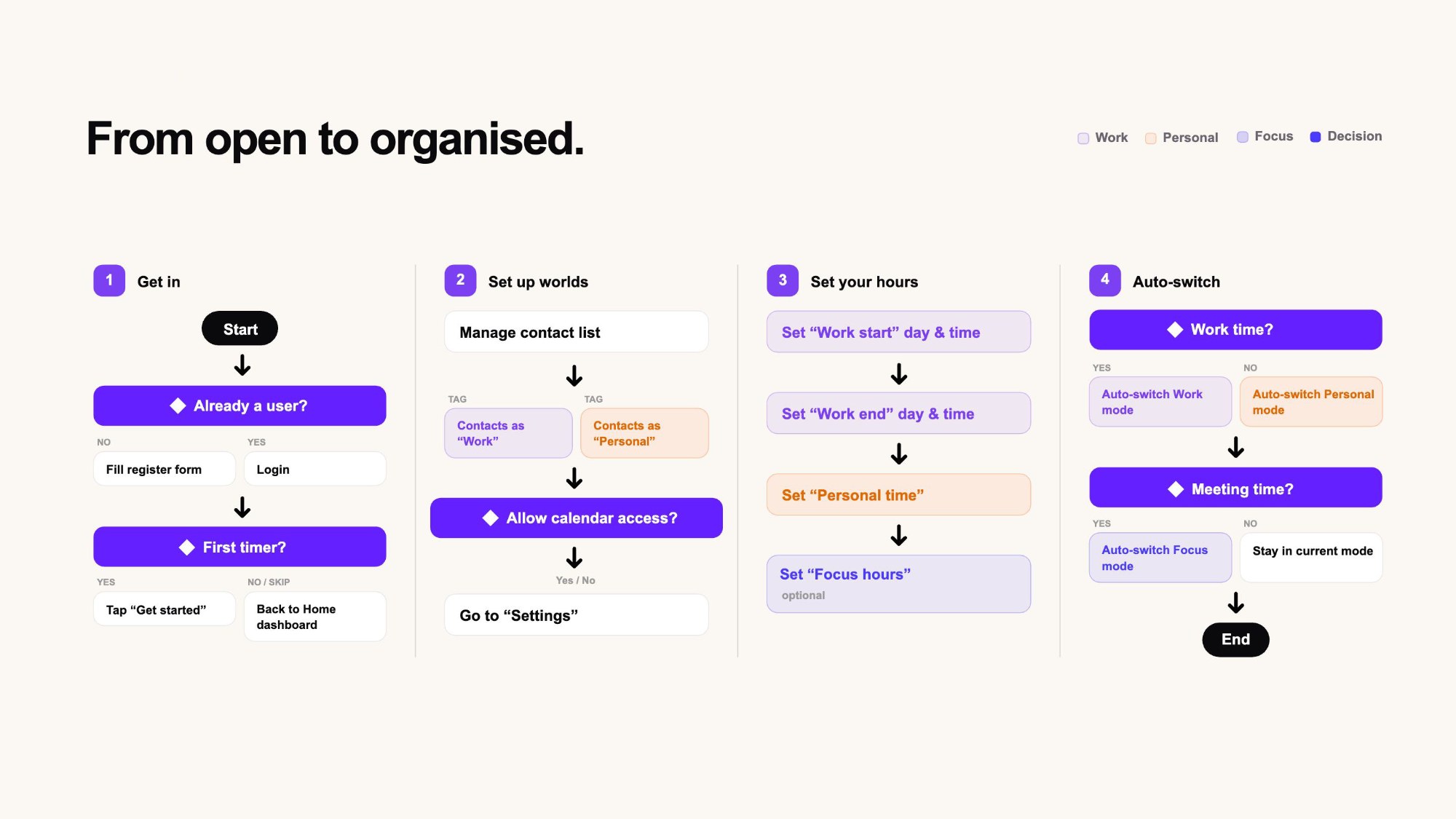
User flow diagram: get in, set up worlds, set your hours, auto-switch
/06 · Wireframes
{{ slide.alt }}
/07 · Final Design
How it works

Built to keep you in flow.

Customisable filters

Auto-sort chats into Business partners, Friends, General and more, so the right people surface first.

Flexible notifications

Mute work after hours, snooze a group, or let only key contacts break through. You set the rules.

Stash, don't lose

Off-context chats tuck neatly into a stash, out of sight, one tap away, never gone.

Meet Rang

One app, two modes.

Rang splits your messaging into a Work world and a Life world. Flip between them with a single tap, and only ever see the conversations that belong to the moment you're in.
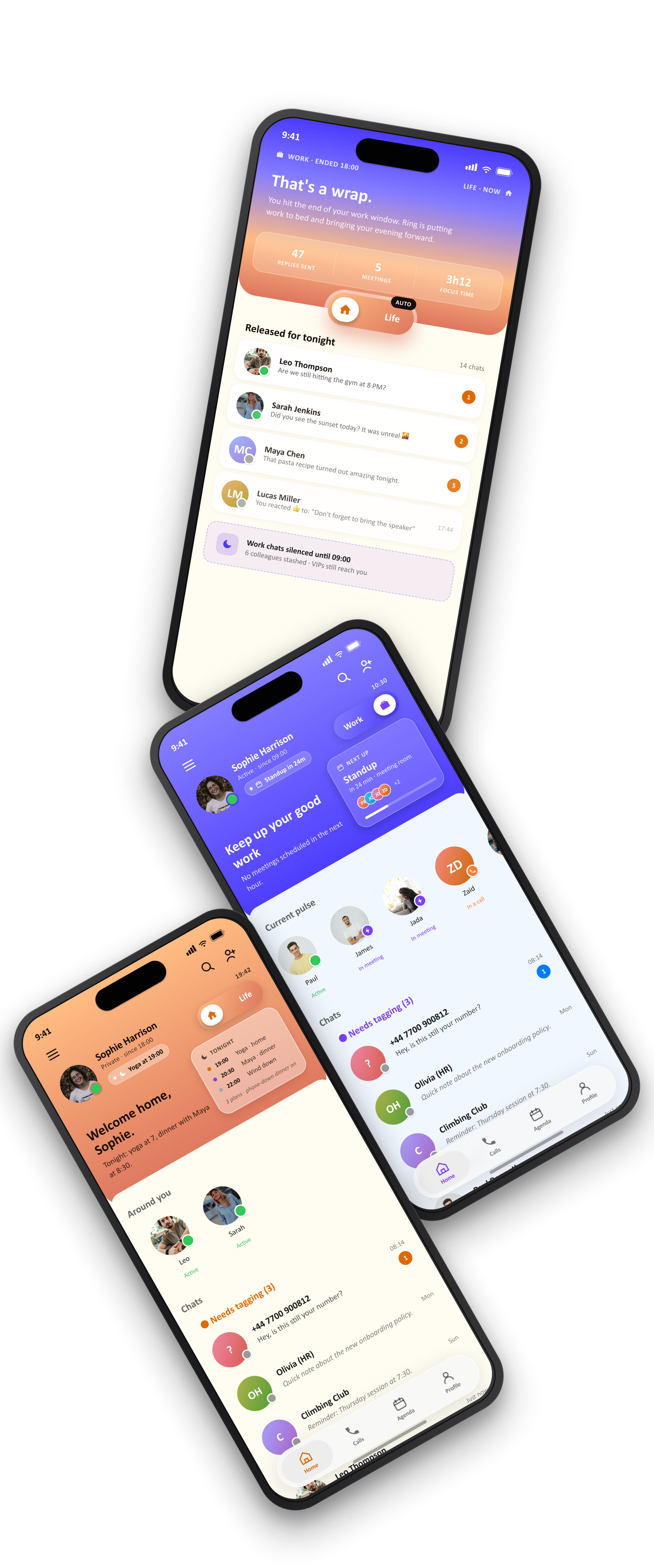
Rang final design: That's a wrap, Work mode and Life mode screens
/08 · User Feedback
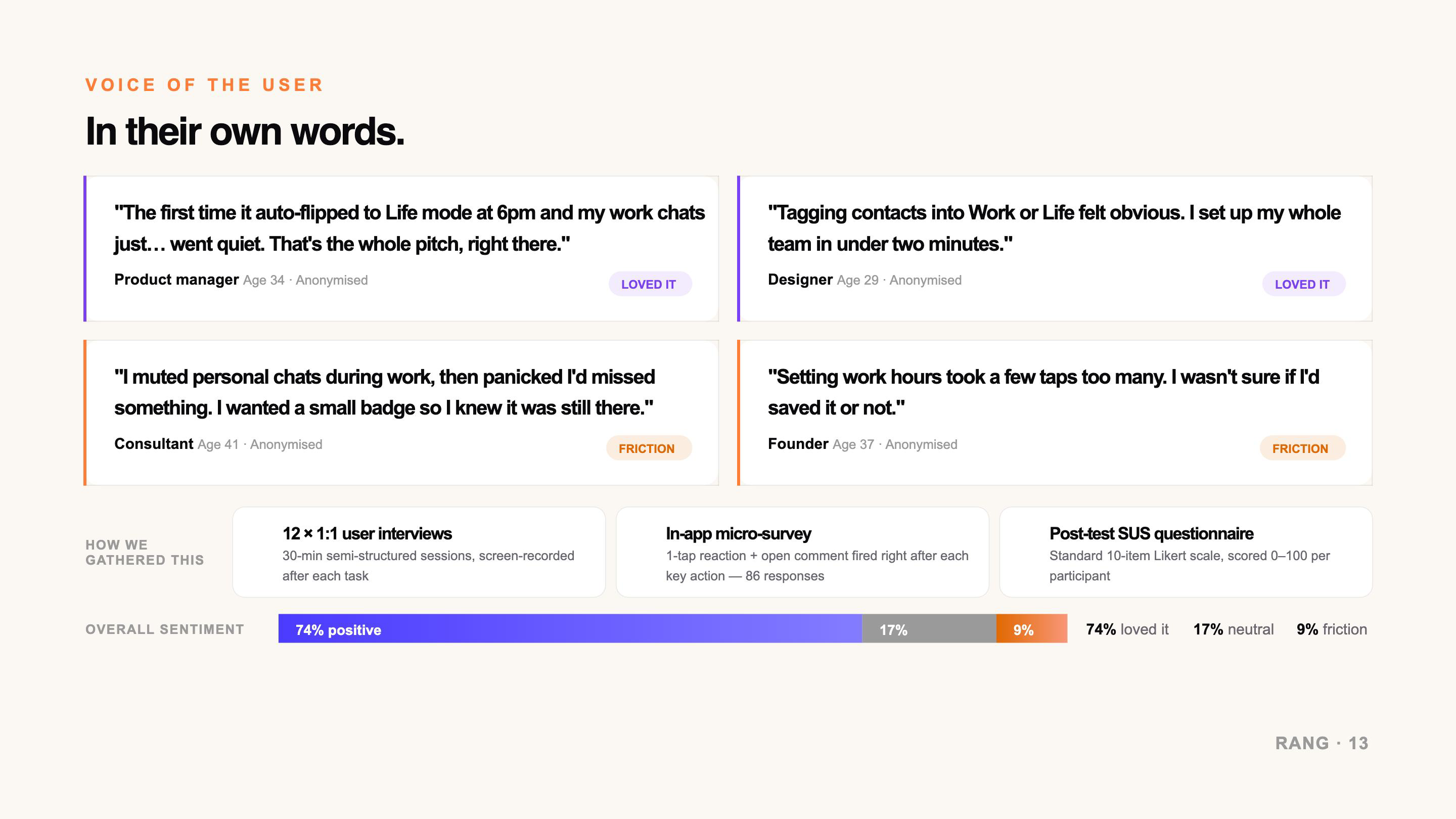
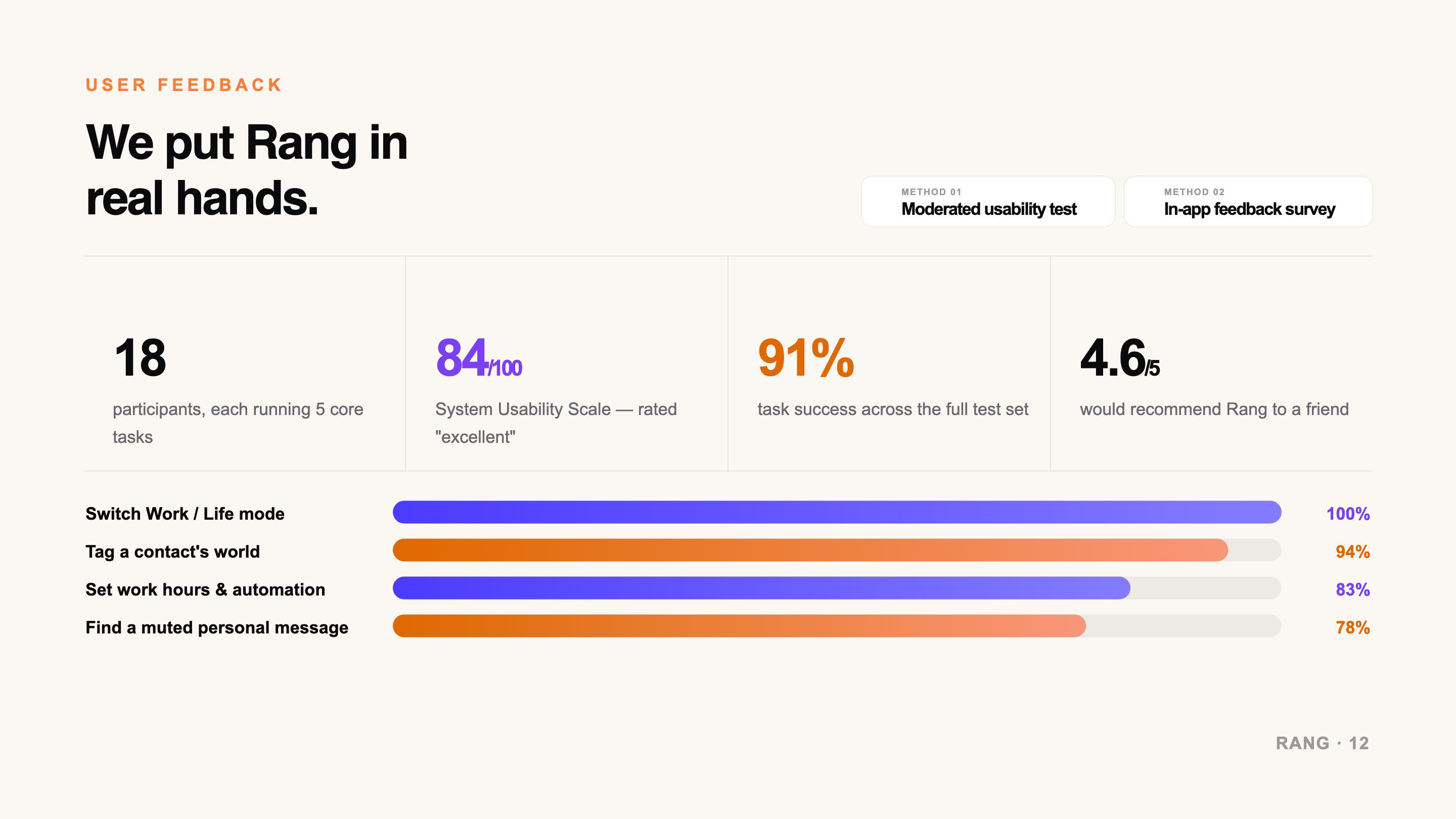
User feedback: We put Rang in real hands, 18 participants, SUS 84/100, 91% task success, 4.6/5 recommend, task success bars Voice of the user: four quotes with loved-it and friction tags, methods, and overall sentiment 74% positive
/09 · From Feedback to Iteration
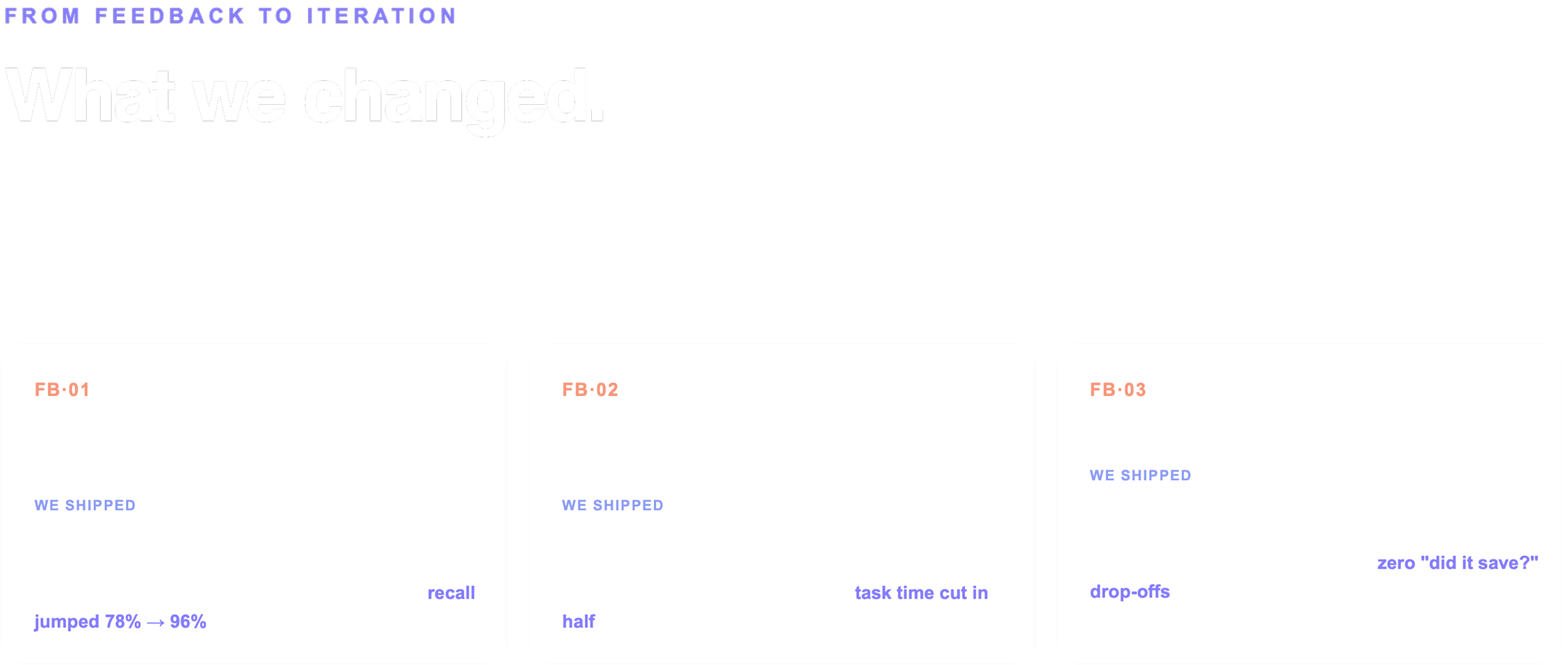
From feedback to iteration: what we changed, three feedback cards with shipped fixes
/10 · Mockups
{{ slide.alt }}
/11 · Prototype
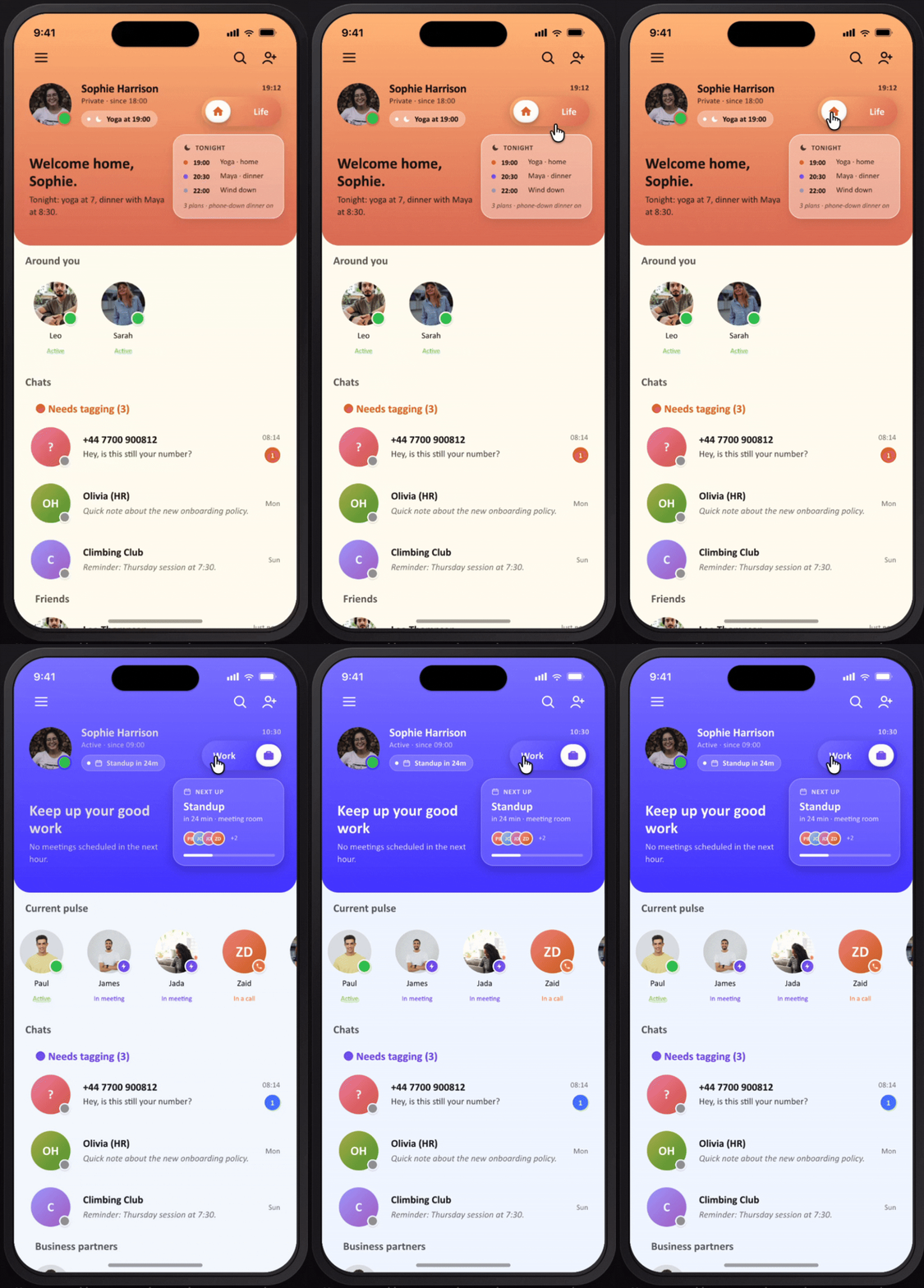
Rang prototype: switching between Home and Life modes on the home screen
Mode switch. One tap moves between Home and Life, and the whole screen answers: schedule, presence, and who can reach you.
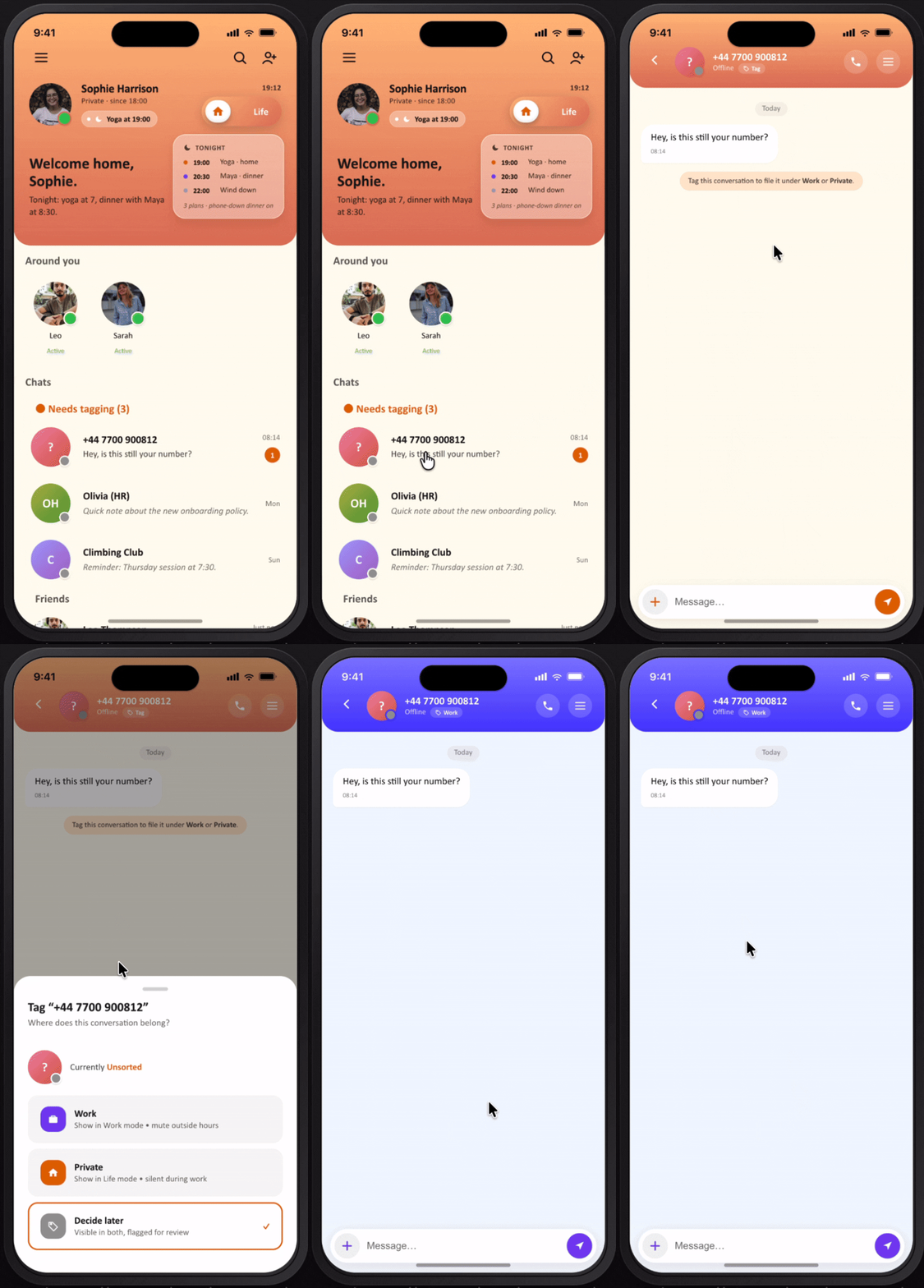
Rang prototype: tagging an unknown number into a relationship group from the Needs tagging queue
Tagging. Unknown numbers queue up under Needs tagging, so sorting a contact into a circle takes seconds instead of a settings trip.
/12 · Design System
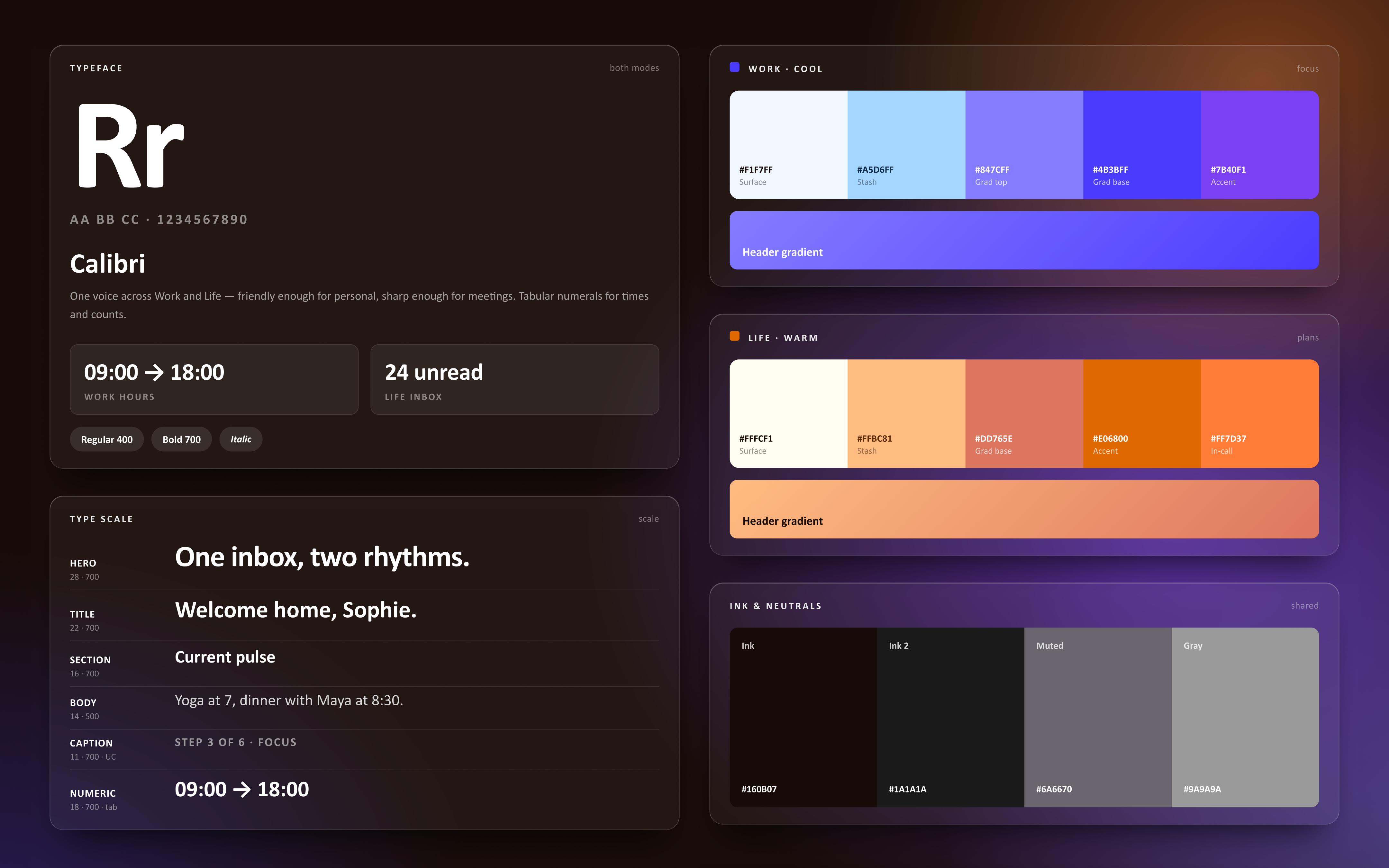
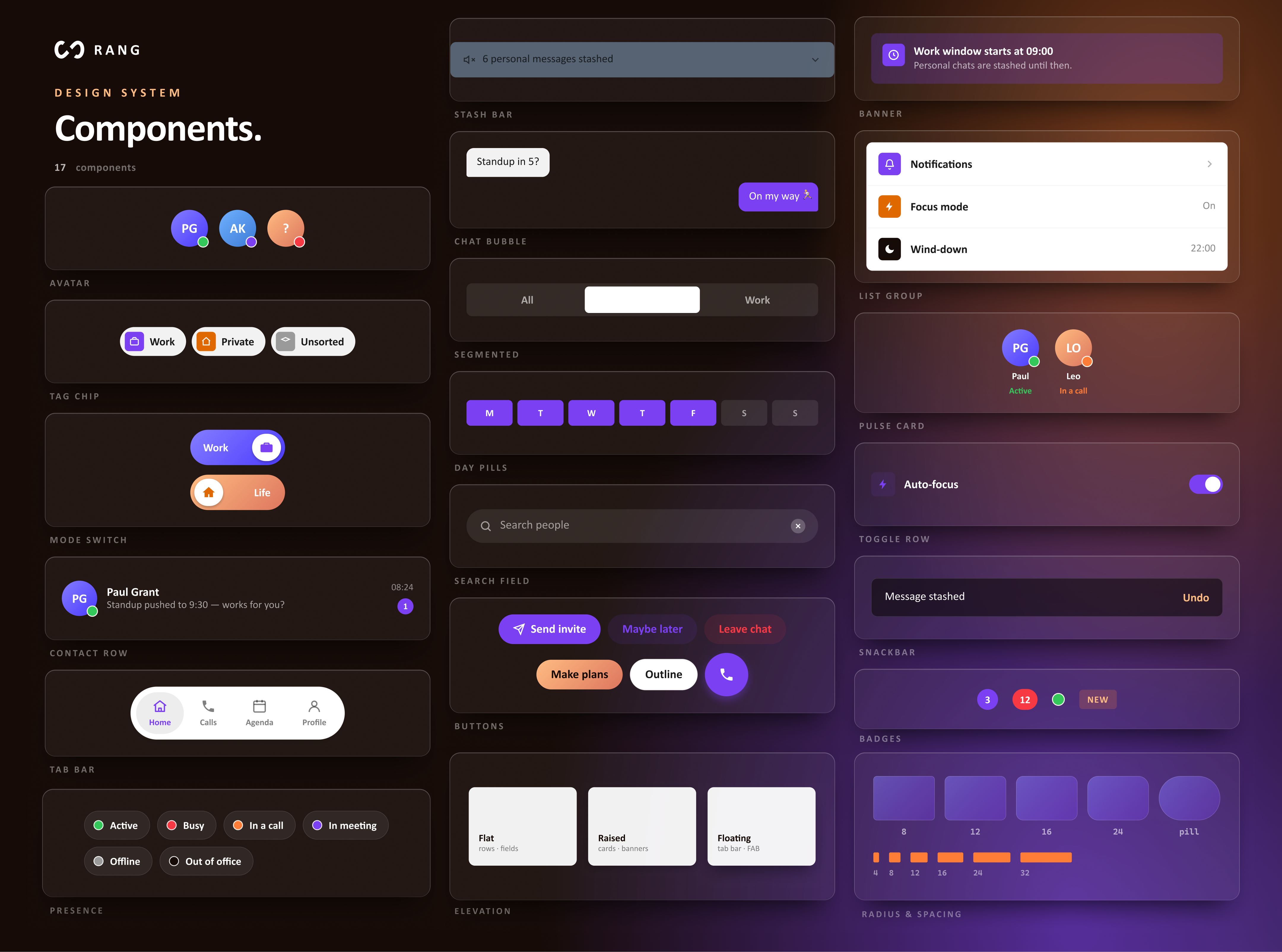
Rang design system foundations: Calibri typeface, type scale, Work cool palette, Life warm palette, ink and neutrals Rang design system components: avatars, tag chips, mode switch, contact row, tab bar, presence, stash bar, chat bubble, segmented, day pills, search field, buttons, elevation, banner, list group, pulse card, toggle row, snackbar, badges, radius and spacing